Dead-on-Arrival Solar Equipment South Africa: Testing Protocols That Win Warranty Claims
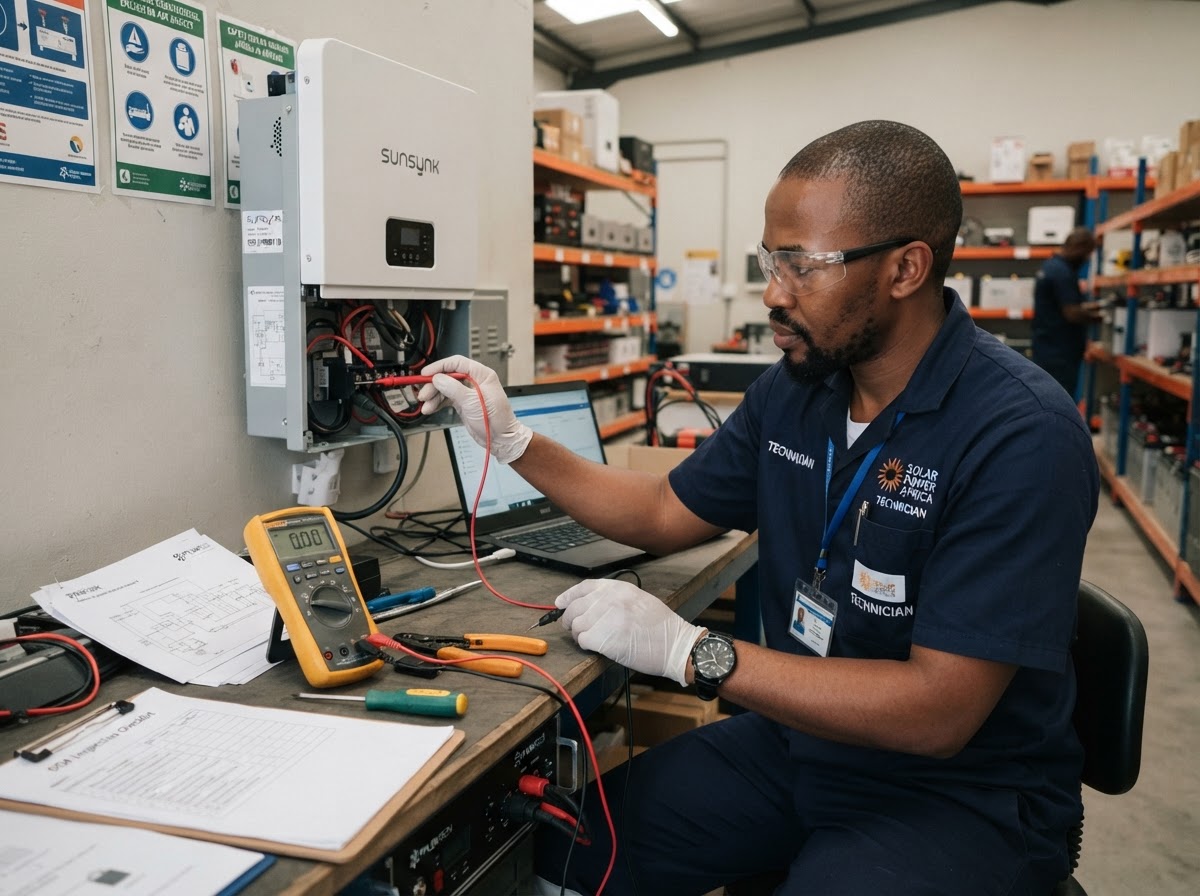
Dead-on-arrival (DOA) solar equipment can cause installation delays, unexpected costs and disputes with suppliers. Inverters, batteries and solar panels may arrive damaged or fail during initial testing.
For solar installers in South Africa, the best way to protect your business is to identify faults early, follow safe testing procedures and collect clear evidence before requesting a replacement.
1. What Does Dead-on-Arrival (DOA) Mean?
DOA equipment is equipment that is faulty, damaged or unable to operate correctly when first received or tested.
Common examples include:
- Inverters: The unit will not start, displays fault codes or has damaged connections.
- Batteries: The battery will not communicate with the inverter, fails to power up or shows abnormal readings.
- Solar panels: Panels have visible damage, cracked glass or electrical readings outside the manufacturer's specifications.
- Accessories: Cables, connectors or communication devices are damaged or missing.
Why Timing Matters
Test equipment as soon as possible after delivery and before installation. Delays can make it harder to establish whether the fault existed on arrival or resulted from transport, storage, installation or incorrect handling.
Check the supplier's DOA and warranty policies, including reporting deadlines and evidence requirements.
2. Testing Protocol: Safe Checks Before Installation
A consistent incoming inspection process helps identify faults before equipment reaches the customer's site.
Step 1: Inspect the Packaging
Before opening the package, check for:
- Damaged, wet or crushed packaging.
- Broken seals or signs of tampering.
- Visible impact damage.
- Missing accessories or documentation.
Take photographs of any damage before unpacking.
Step 2: Verify the Equipment
Record the product model, serial number and delivery details. Confirm that the equipment matches the purchase order and supplier invoice. Check that the correct inverter, battery or solar panel model was supplied.
Step 3: Perform Visual Checks
Inspect the equipment for cracks, dents, loose components, damaged terminals, burnt marks or other visible defects. Do not energise equipment that appears unsafe or damaged.
Step 4: Conduct Manufacturer-Approved Tests
Follow the manufacturer's testing instructions and use suitable, calibrated test instruments where required. Depending on the equipment, checks may include:
- Inverters: Inspect connections, verify specified input conditions and check startup behaviour and fault codes using the approved procedure.
- Batteries: Check voltage and status indicators, communication functions and other manufacturer-specified parameters.
- Solar panels: Inspect the glass, frame and connectors, and perform approved electrical tests where appropriate.
Safety Considerations
Electrical testing must be performed by competent personnel using appropriate safety precautions. Do not open sealed equipment or perform unauthorised tests that could create a safety risk or affect the warranty. South African electrical safety requirements, including the Electrical Installation Regulations where applicable, must be considered. Follow the manufacturer's instructions and relevant standards before connecting equipment to an electrical installation.
3. Documentation: Evidence That Supports Warranty Claims
A supplier is more likely to process a DOA claim efficiently when the evidence is clear and complete. Create a separate record for each faulty unit. Your evidence pack should include:
- Serial number: Clearly identify the affected equipment.
- Delivery documents: Keep the invoice, delivery note and date of receipt.
- Photographs: Capture the packaging, product condition, serial number and visible damage.
- Videos: Record startup attempts, error messages or fault indicators where safe and appropriate.
- Test results: Record measurements, test conditions, instrument details and the manufacturer's expected values.
- Fault description: Explain what happened, when it occurred and which checks were performed.
- Supporting documents: Include relevant installation or commissioning reports if the equipment was already installed.
Keep the original photographs, videos and test records. Avoid editing evidence in a way that removes important details.
Use a Standard DOA Report
A simple report should include:
- Customer or project reference.
- Supplier and delivery date.
- Equipment model and serial number.
- Description of the fault.
- Tests performed and results.
- Photographs or video references.
- Date the supplier was notified.
- Requested resolution, such as replacement, repair or refund.
Submit the report promptly and keep written records of all supplier communication.
4. Replacement Logistics: Preventing Project Delays
A faulty unit can delay commissioning and affect the entire installation schedule. Installers should have a clear process for managing replacements.
Notify the Supplier Immediately
Report the fault in writing and attach the evidence pack. Ask for a case or RMA reference number and confirmation of the next steps.
Keep Faulty Equipment Separate
Label the unit as faulty and store it safely until the supplier provides return instructions. Do not dispose of packaging or send the equipment back without following the supplier's procedure.
Confirm Replacement Timelines
Ask whether the supplier will provide an advance replacement, arrange collection or require the faulty unit to be inspected first.
Protect the Project Schedule
Inform the project manager or customer about the delay and assess whether an approved alternative unit is available. Obtain the necessary technical, compliance and customer approvals before making substitutions.
Track Every Claim
Maintain a register showing the reported date, supplier reference, current status, expected resolution and actual turnaround time. This information helps identify suppliers with recurring DOA problems and supports better procurement decisions.
5. Common DOA Claim Mistakes to Avoid
Avoid these common mistakes when reporting faulty solar equipment:
- Installing equipment before completing incoming checks.
- Waiting too long to notify the supplier.
- Failing to record serial numbers.
- Sending claims without photographs or test results.
- Performing unauthorised tests that may compromise safety or warranty coverage.
- Returning equipment without written instructions.
- Assuming every failure is automatically a DOA claim.
A unit that fails after installation may still qualify for a warranty claim, but the cause and applicable warranty terms must be assessed.
Conclusion
A disciplined DOA testing process protects solar installers from unnecessary costs, supplier disputes and project delays.
Inspect equipment immediately after delivery, perform safe manufacturer-approved tests and keep accurate records of every fault. Clear evidence and prompt communication make it easier to resolve claims and maintain reliable supplier relationships.
For B12 solar installers, incoming testing should be a standard part of every equipment delivery — not something done only when a problem occurs.
